
Already registered? Keep the same account when moving between desktop and mobile. If you only need to sign in, go to Indibet login. For a new Android installation, follow the download and installation steps below.
18+ only. Gambling can lead to financial losses. A mobile app makes access more convenient; it does not improve your chances of winning.
Indibet App: Mobile Options at a Glance
| Device or task | Access route | What to check |
|---|---|---|
| Android phone | APK offered through the Indibet platform | Current compatibility details, source and installation prompt |
| iPhone or iPad | Mobile website in Safari | Correct website address and browser settings |
| Mobile access without installation | Supported mobile browser | Connection, login details and page loading |
| Existing customer | Same Indibet account | Use login rather than a new registration |
| App update | Current download route on the platform | Update instructions and whether the download completed |
Indibet App Download: Start With the Platform
Open Indibet on your Android phone and find its current app download option. Check the website address before downloading, especially if you arrived from a search result or a message. A matching logo or familiar file name alone does not identify a legitimate package.
Keep the download and installation on the device where you intend to use the app. Do not use an APK forwarded by someone claiming to fix your account, speed up a payout or unlock a special bonus.
Indibet APK Download and Android Installation
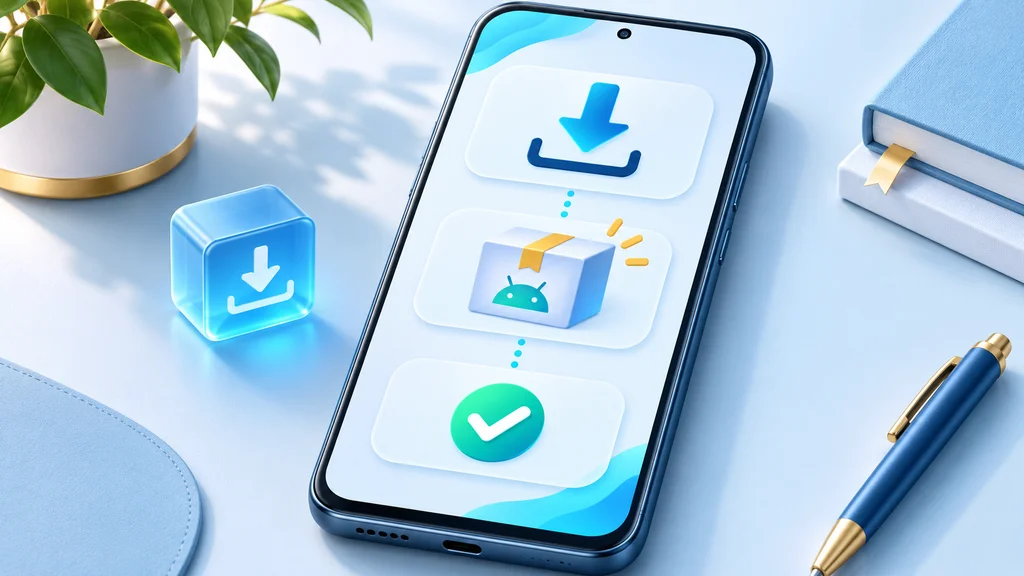
- Open the Indibet platform in your Android browser.
- Select its Android app download option and let the file finish downloading.
- Open the completed APK from the browser's download list or your file manager.
- If Android asks for installation permission, check which browser or file manager is requesting it.
- Continue only if you recognise the source and are comfortable with the permission prompt.
- Complete installation, open the app and sign in with your existing account.
- Remove installation permission from the browser or file manager afterwards if you no longer need it.
Android permission screens differ by phone and system version. Follow the prompts shown on your device. Do not disable Play Protect or other device protection to force a package to install. If Android blocks the file or shows an unexpected warning, stop and ask support about the current download route.
Check Compatibility Before Installing
Review the requirements displayed with the current package. Check your Android version, available storage and whether the download has completed. Installed files, temporary installation data and later updates can use more space than the APK file alone.
An old specification table is not a reliable guide to a new release. Use the details attached to the download you are about to install rather than assuming that every version has the same file size or system requirements.
Indibet on iPhone and iPad
An APK is an Android package and cannot be installed on iOS. Open the mobile website in Safari to reach Indibet from an iPhone or iPad.
For a home-screen shortcut:
- Open the correct Indibet website in Safari.
- Tap the Share control.
- Choose Add to Home Screen if it is available.
- Confirm the shortcut name and add it.
- Open the shortcut and sign in when required.
A shortcut opens web access; it does not turn an Android file into an iPhone app. Never install a configuration profile or an unfamiliar certificate merely to access a betting account.
App or Mobile Website: Which Route Fits?
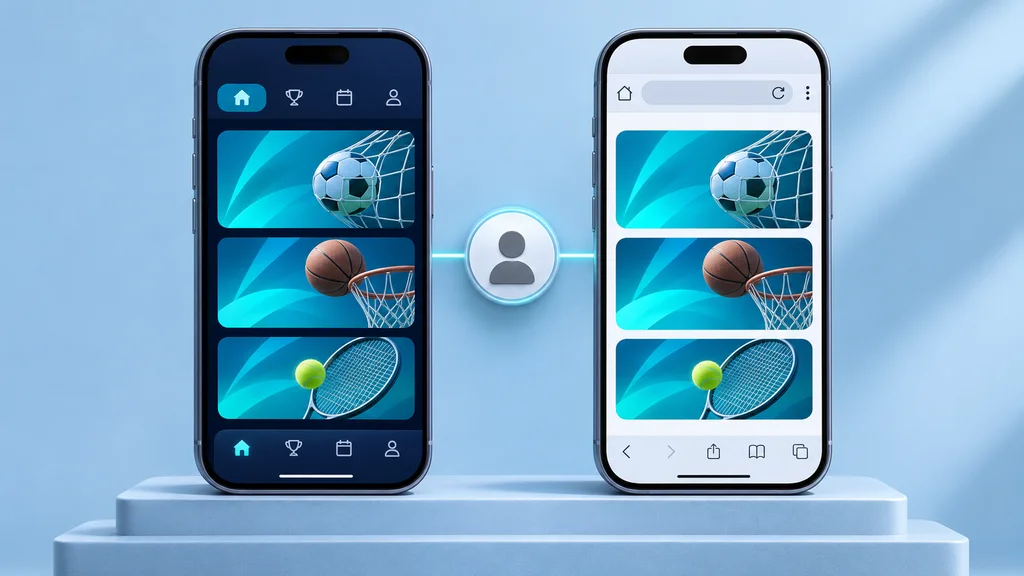
Choose the route that suits your device and the task. You can use browser access without completing a separate app installation.
| Consideration | Android APK | Mobile website |
|---|---|---|
| Setup | Download and installation required | Open the site in a browser |
| Device | Compatible Android device | Compatible browser on Android or iOS |
| Updates | Follow the platform's app update instructions | Website updates appear through browser access |
| Storage | App and update files use device storage | Browser data and cache use storage |
| Account | Existing Indibet credentials | Existing Indibet credentials |
Neither route guarantees that every market, payment method or game will be available at all times. Product availability depends on the account, location and service conditions.
Sign In and Find Your Account Sections
Open the app or mobile site and select Login. Enter the account details requested by the form. If your password fails, use account recovery instead of repeatedly trying different credentials or creating another account.
After signing in, choose the section you need. Cricketbook and sportsbook lead to fixtures and markets; the casino lobby groups games by category. Use the cashier for payments and account history for previous transactions and accepted bets.
Before confirming a mobile bet, check the market, stake and final price. Switching between apps or losing a connection can interrupt the screen without proving whether a bet was accepted. Check bet history before submitting the same selection again.
Deposits, Bonuses and Withdrawals on Mobile
INR payment routes include UPI and NetBanking where they are offered in your cashier. Choose the method inside your account and follow its payment instructions. A payment notification on your phone and a credited betting balance are different events; keep the transaction reference until both records match.
Read the payment and withdrawal rules before funding the account. Check the selected method's limits and fees, and complete any identity checks requested before a payout.
Installing the app does not itself establish eligibility for a promotion. Review the Indibet bonus terms for activation, qualifying deposits, wagering and expiry conditions before playing with promotional funds.
Updating or Reinstalling the Android App
Use the platform's current update instructions. Save your account identifier and make sure you can access the registered recovery channel before removing an existing installation. Do not clear app data or reinstall merely because a payment is pending; installation changes do not settle a transaction.
If an update fails, check free storage and the completed download first. Avoid installing several packages from different websites to see which one works. For an unexpected signature or package conflict, stop and contact support.
Problems With Download, Installation or Login
| Problem | Useful next step |
|---|---|
| Download stops before completion | Check the connection and storage, then retry from the platform's current route. |
| APK does not open | Confirm the file finished downloading and check the device's compatibility message. |
| Security warning or unexpected permission | Stop installation and ask support; keep device protection enabled. |
| App closes repeatedly | Restart the app and device, check for an update and describe the error to support. |
| Login fails | Check credentials and use account recovery if required. |
| Payment status is unclear | Check transaction history and retain the payment reference before trying again. |
For help, use Indibet account and app support. Include your device model, Android or iOS version, the step that failed and the error message. Hide passwords, verification codes and payment details in screenshots.
Keep Mobile Play Under Control
Decide your time and spending limits before opening a game or match market. Avoid borrowing to deposit, chasing a loss or treating a bonus as income. Close the session when you reach your planned limit.
Read the responsible gambling guidance if mobile access makes it harder to stop. Uninstalling an app does not close the account or block browser access; use the account restriction request route if you need help stopping.
Frequently Asked Questions
How do I download the Indibet app?
On Android, open the Indibet platform, select its current app download option and follow the installation prompts. For iPhone or iPad, use the mobile website in Safari.
What is the Indibet APK?
It is the Android installation package used for the app download route. Use the package offered through the platform rather than a file redistributed through messages or unrelated download sites.
Can I use Indibet without installing an app?
Yes. Open the mobile website in your browser and sign in with your existing account details.
Can I install the APK on an iPhone?
No. Android APK files do not install on iOS. Use Safari, with a home-screen shortcut if you want one.
Do I need a new account for the app?
No. Use your existing Indibet login. Recover a forgotten password rather than registering again.
What is the current APK size and version?
Check the details shown with the platform's current download. File size, compatibility and version details can change between releases.
Is there a bonus just for downloading?
Do not assume that installation earns a reward. Check the promotion offered to your account and its qualifying requirements before making a deposit.
Does deleting the app close my account?
No. Removing the software does not close your account or stop browser access. Contact support if you want an account restriction or closure.